
What are liftable structures in SeedCrackerX?
They are not structures that move in the Minecraft world. The word describes how their placement offsets can be used in the mod's seed-search math.
In the SeedCrackerX workflow, a liftable structure is a supported structure whose verified region placement can be used to lift information from lower structure-seed bits. The practical list includes igloos, desert pyramids, jungle temples, swamp huts, shipwrecks, and pillager outposts. The exact result still depends on the Minecraft version, finder support, structure template, and the quality of the observation.
The useful answer to what are liftable structures is therefore a workflow answer: they are evidence choices for the lifting route, not a promise that one building reveals a world seed. A monument, Trial Chamber, or another supported structure may provide normal data without closing the liftable-data gap shown by the mod.
If you already know the basics, start by checking the structure bit calculator. It is a planning aid for deciding what to look for next. Then compare the estimate with /seedcracker data bits in the installed client.
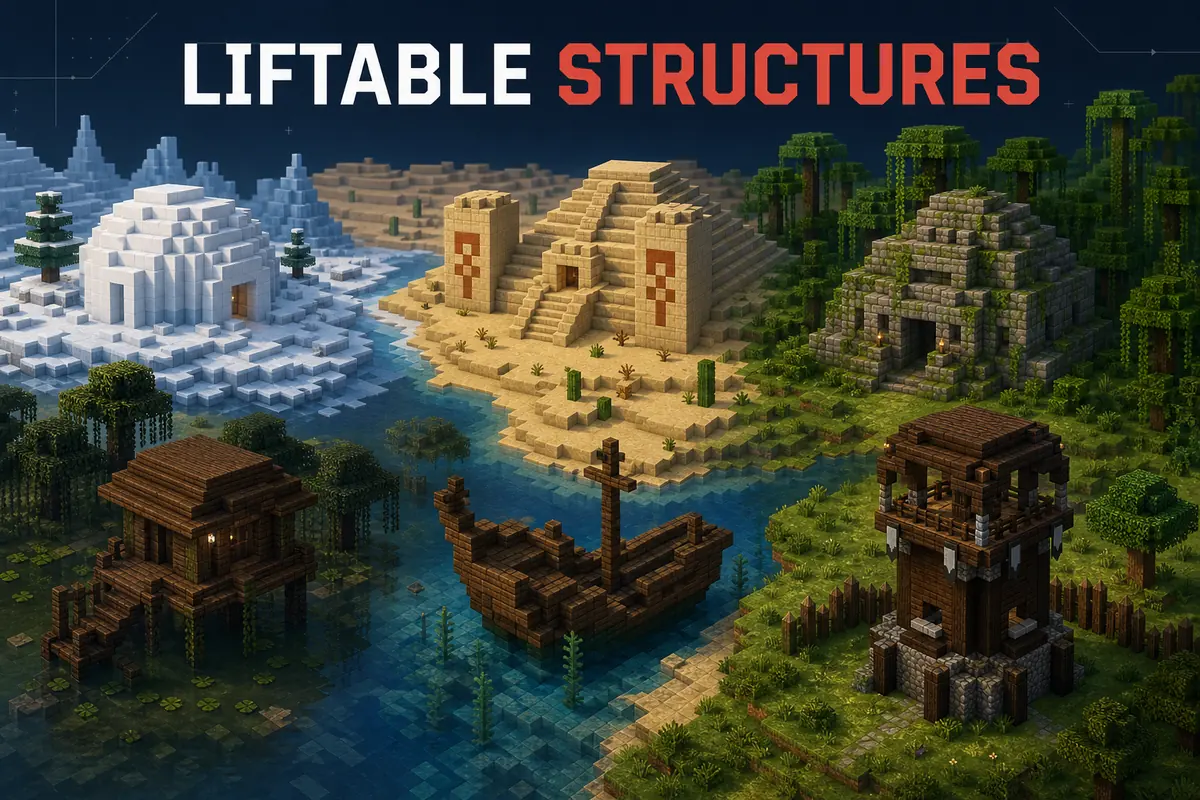
What liftable means in the seed-search workflow
SeedCrackerX works with deterministic world-generation evidence rather than a server IP lookup or a single magic structure.
Minecraft structure placement is generated from version-sensitive rules, region coordinates, structure-specific salts, and a structure seed derived from the world seed. When a finder recognizes a structure at a coordinate, SeedCrackerX can turn that observation into constraints. A lifting-compatible observation can be used earlier in the lower-bit filtering route, which is why the mod reports normal and liftable progress separately.
This distinction matters because a structure can be useful without being liftable in the same way. Normal data helps reduce candidate structure seeds; liftable data can help filter lower bits efficiently. The two totals are related, but adding them together as one score would hide the decision the player actually needs to make.
The term also does not mean that every visually similar building counts. A copied coordinate from a map, a structure in another world, a false template match, or data collected with the wrong Minecraft generation version is not reliable evidence. The mod must detect the observation in the active world, and the outline or finder result should agree with what you are recording.
Which structures give liftable data?
Use the following as a planning list, then confirm the exact contribution in the in-game command for your selected release.
The most useful starting set is igloos, desert pyramids, jungle temples, swamp huts, shipwrecks, and pillager outposts. The first five are often valuable because they can contribute to both normal and liftable planning. Pillager outposts are especially important when the normal total looks healthy but the liftable total is still short.
Other structures can still be worth recording. Ocean monuments, Trial Chambers, End Cities, buried treasure, and other supported finders may improve normal reduction or provide a useful independent constraint. They should not automatically replace a liftable structure when your current bottleneck is the lifting total.
The table is a decision aid, not a universal bit guarantee. Version-specific feature configuration, duplicated observations, false positives, and the mod's current finder support can change the result. Treat the number shown by the mod as authoritative for the active release.
| Structure | Typical planning role | How to verify |
|---|---|---|
| Igloo | Normal and liftable candidate | Enable the finder and confirm the outline in the loaded chunk |
| Desert pyramid | Normal and liftable candidate | Check the detected template and changed bit total |
| Jungle temple | Normal and liftable candidate | Confirm the structure type before recording coordinates |
| Swamp hut | Normal and liftable candidate | Use a fresh, supported detection rather than a map pin |
| Shipwreck | Normal and liftable candidate | Verify the structure template and chest/layout evidence |
| Pillager outpost | Useful for the lifting route | Check the lifting total after the finder recognizes it |
| Ocean monument or Trial Chamber | Usually normal-data support | Keep it as an independent constraint, not a liftable substitute |
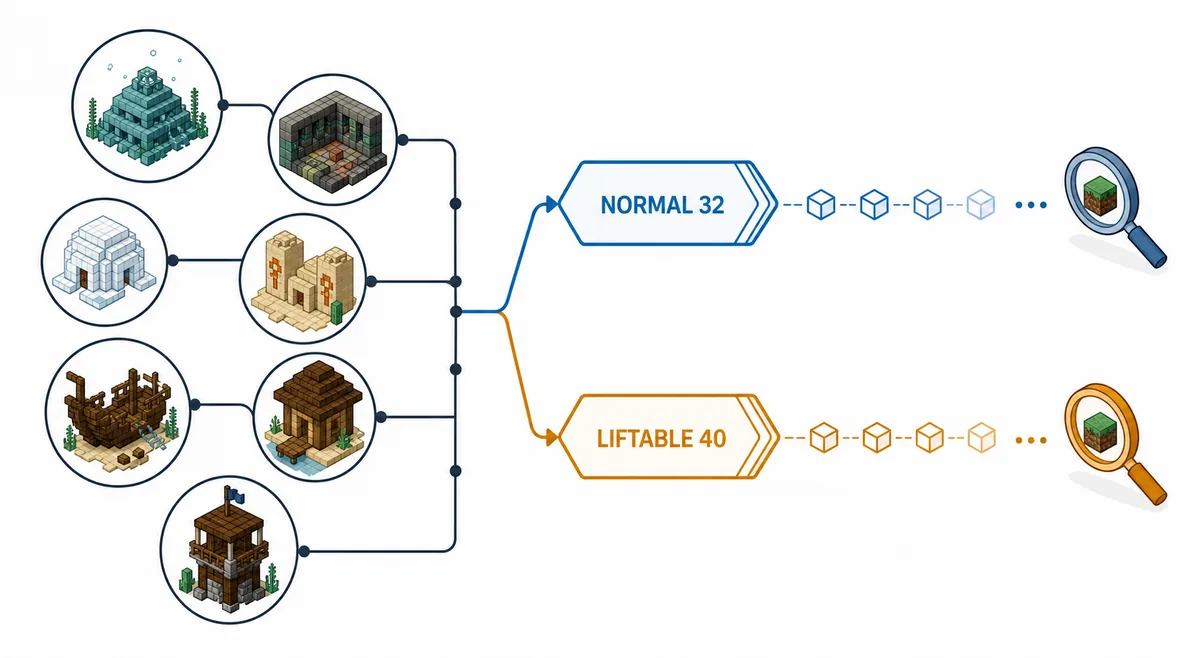
Normal bits and liftable bits are different targets
Do not assume that reaching one threshold means the world seed is already recovered.
The normal route is commonly discussed around roughly 32 bits of usable structure information, together with the evidence needed for the pillar-seed route. The lifting route is commonly planned around roughly 40 liftable bits from compatible modern structures. These are practical thresholds for starting a search stage, not guarantees of a unique final seed.
For example, a collection of shipwrecks, an igloo, and a desert pyramid may look strong on the normal bar while still leaving the lifting bar below its target. In that case, another ocean monument may add normal information but fail to solve the actual gap. An outpost, hut, temple, pyramid, igloo, or shipwreck that the mod accepts can be a more relevant next step.
The opposite can happen too: the displayed total may pass a threshold while the candidate set remains large. SeedCrackerX can request another independent structure, a server-provided hash, decorator evidence, biome samples, or End pillar information. Read the next request from the mod instead of treating the threshold as a completion badge.
- Normal bits and liftable bits are separate progress values.
- A repeated or copied observation does not necessarily add independent information.
- The Minecraft version controls the structure rules used for matching.
- The in-game command is more authoritative than a rounded browser estimate.
- A permitted multiplayer workflow still requires the server owner's approval.
How to collect liftable structures without corrupting the data
A clean collection route is more useful than a long list of unverified coordinates.
First match the world-generation version in the mod. A launcher, proxy, or server may accept a protocol that does not describe the version that generated the terrain. If the version is wrong, clear incompatible observations before collecting more. The version finder and the full SeedCrackerX setup guide cover that boundary in more detail.
Next, choose a mixed route. Search for a few structures from different types and dimensions where supported, rather than walking in circles around the same structure family. Let the finder outline a structure, record its coordinates only after recognition, and avoid copying a location from a seed map as if it were an observation from the current world.
After every meaningful batch, run /seedcracker data bits. If the normal value rises but liftable stays flat, change the next target. If neither value changes, inspect the finder, loaded chunks, dimension, version, and duplicate-data behavior before assuming that the structure type is unsupported.
- Use one matching Fabric instance and one compatible SeedCrackerX JAR.
- Collect in a world you own or a multiplayer world where analysis is permitted.
- Prefer independent structure types and newly detected chunks.
- Keep notes separated by world and Minecraft version.
- Stop and clear data when observations from different worlds have been mixed.
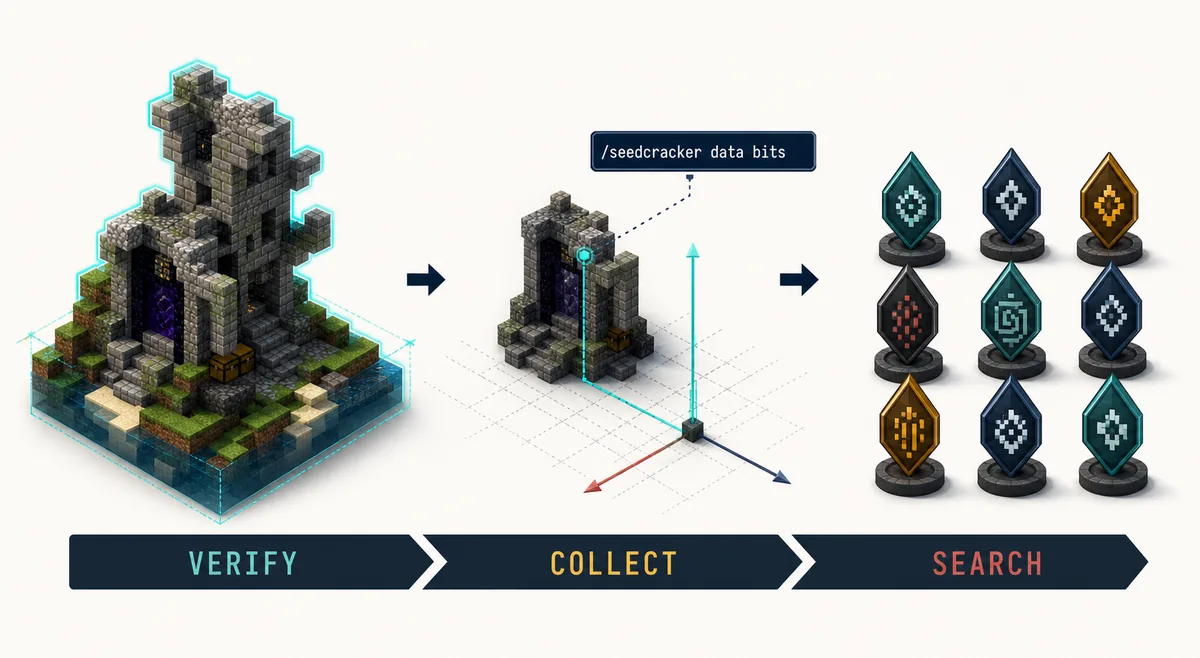
Verify liftable bits with /seedcracker data bits
The browser can help plan a route, but it cannot see your active Minecraft client.
Run /seedcracker data bits after the mod has recognized one or more structures. Read the normal and liftable lines separately. If the liftable value is lower than expected, the most common explanations are that the finder did not accept the structure, the structure was already stored, the selected version is wrong, or the rounded calculator estimate does not match the release's exact feature configuration.
Use /seedcracker finder reload after changing finder settings or when chunks were scanned before the setting changed. Use /seedcracker data clear after switching worlds or correcting a wrong version. The command finder can help locate the exact command spelling, while the calculator can help choose a next target without pretending to run the mod search in a browser.
If the mod asks for more data after the lifting threshold, follow that request. More bits do not automatically prove a seed, and a result from a private multiplayer world should not be published without permission. For the broader permission boundary, read the server seed guide.
Common liftable-structure mistakes
Most confusing results come from mixing a planning estimate with an invalid observation.
The first mistake is treating the structure name as enough. SeedCrackerX needs a supported finder to recognize the actual placement and version-specific template. A building that looks like a pyramid in a screenshot is not proof that the mod accepted it. The second mistake is combining data from two worlds or two generation versions. That can produce a plausible-looking total with no valid candidate seed.
Another mistake is chasing a universal structure count. Two players can need different collections because structure offsets, accepted features, End pillar evidence, hashes, and current candidates differ. The number 40 is a route threshold, not a promise that exactly five structures solve every world.
Finally, do not download a random file because a page uses the words seed cracker or liftable structures. Verify the official project source through the SeedCrackerX GitHub source guide, match the Fabric build to the world version, and keep the page's compatibility claim separate from any third-party mirror claim.
- Do not use a map coordinate as a substitute for a finder detection.
- Do not combine Java and Bedrock terminology or data paths.
- Do not treat a normal-only structure as a liftable replacement.
- Do not clear active data while a search is running unless you intend to cancel it.
- Do not publish a private server seed without explicit permission.
When liftable data is missing or the search fails
Use the in-game totals and the current world's evidence to choose the next check; the calculator only estimates a route.
This focused route covers the liftable-data symptoms most often confused with a broken mod. For installation, unknown commands, or server permission questions, start with the full SeedCrackerX usage guide and the command finder.
SeedCrackerX is a Minecraft Java Edition Fabric client Mod. Its structure data must be detected in the current permitted world. Do not mix Minecraft versions, dimensions, restored records, or worlds, and do not treat the structure bit calculator's normal/liftable values as a promise of what the installed release will display.
No structure outline or no new liftable data
Symptom: A candidate structure is visible, but no outline appears and the liftable total does not increase. This is a common seedcracker not collecting bits symptom, not an automatic confirmation that the structure is unsupported.
Possible reason: The finder, cracker, or outline renderer is off; chunks are not loaded; the current dimension or generation version is wrong; the template was rejected; or the observation is a duplicate. A map pin is not a detected observation.
Check: In /seedcracker gui, verify the version, dimension, cracker, finder, and outline settings. Confirm that the mod recognized the structure in this world and compare the separate normal and liftable lines from /seedcracker data bits.
Recommended command: Run /seedcracker finder reload after changing finders, then /seedcracker data bits after a fresh accepted detection.
Next action: Try one newly generated supported structure in the same permitted world. If the behavior remains reproducible, include the exact version, dimension, finder, and sanitized output in the official issues; this guide does not guarantee every custom generator or release combination.
Normal bits are enough but liftable bits are short
Symptom: The normal total appears ready for its route, while liftable bits remain below the planned target. This is the central SeedCrackerX liftable structures distinction.
Possible reason: Normal and liftable bits are separate constraints. Normal-only structures, duplicates, rejected templates, and rounded browser estimates cannot substitute for accepted liftable observations.
Check: Read both values from /seedcracker data bits, verify the accepted structure type and outline, and confirm the Minecraft version, dimension, and world. The calculator can help plan the next search area, but it cannot inspect the client or override the mod's exact release data.
Recommended command: Run /seedcracker data bits after each accepted structure; use /seedcracker finder reload only when finder settings or the scan state changed.
Next action: Prioritize an accepted igloo, pyramid, jungle temple, swamp hut, shipwreck, or pillager outpost and follow any request from the current search. Do not combine another world's observations to reach a roughly 40-bit planning threshold.
No results appears immediately
Symptom: The search reports no results or zero candidates immediately after the liftable route starts.
Possible reason: A wrong generation version, dimension, false template match, cross-world record, incompatible restore, or stale observation can make the constraints contradictory. One zero-candidate report is not proof of a universal bug.
Check: Compare every accepted structure with the current world and release, inspect the normal/liftable totals, and review whether restored entries belong to the same server or world. Do not add more structures before resolving an invalid record.
Recommended command: Run /seedcracker data clear after identifying bad data, then collect fresh evidence. Use /seedcracker cracker debug ON for a short trace if the failing phase is unclear.
Next action: Rebuild from the current permitted world and compare sanitized output with the official issue tracker. The result may be caused by data quality rather than a confirmed compatibility defect.
The search keeps running
Symptom: The lifting search remains active for a long time, or it continues after the approximate liftable threshold is displayed.
Possible reason: Candidate filtering and later world-seed validation can be computationally expensive. Candidate count, hardware, structure offsets, requested biome/hash evidence, and data quality affect the duration; a bit threshold is not a completion guarantee.
Check: Read chat and logs for the active phase or a request for another structure. Keep the current search data intact unless cancellation is intentional, and do not decide that it is broken from elapsed time alone.
Recommended command: Use /seedcracker cracker debug ON for one reproducible diagnostic run, disable it after capturing the relevant output, and use /seedcracker data bits only when the client responds.
Next action: Wait for the phase or collect the exact requested evidence in the same world. For a repeatable stall, report version, dimension, structure summary, sanitized logs, and release details through the official issues; no fixed completion time is promised.
Candidates look wrong after switching worlds
Symptom: The normal/liftable totals or candidate list looks implausible after changing a single-player world, server, dimension, or Minecraft version.
Possible reason: Previous observations, candidate state, hash context, or coordinates remain active while the new world is scanned. Version, dimension, and world data are independent context and cannot be mixed.
Check: Record the current world/server and dimension, confirm the configured generation version, and treat every pre-switch observation as suspect. A browser estimate or map coordinate cannot reconcile two worlds.
Recommended command: Run /seedcracker data clear before collecting in the new context. Verify the settings with /seedcracker gui, then read /seedcracker data bits only after new detections.
Next action: Reconnect after a server or dimension change, keep records separated, and recollect current-world evidence. If a clean reproduction remains anomalous, use /seedcracker cracker debug ON and check the sanitized case against the official issue tracker.
Restore produces an incorrect result
Symptom: After /seedcracker data restore, the liftable total or candidate result does not match the current world, or the restored search returns no candidates.
Possible reason: Restore reuses saved structure entries; it does not prove that they came from the current world. Different server identity, dimension, generation version, template, or a damaged record can make the restored constraints invalid.
Check: Verify the saved source, structure names, chunk coordinates, world/server, dimension, configured version, and release. Compare the restored state with /seedcracker data bits before adding new observations.
Recommended command: Run /seedcracker data clear when the source is not exactly compatible. Use /seedcracker data restore only for same-world compatible-generation records, and use /seedcracker cracker debug ON briefly for a reproducible mismatch.
Next action: Rebuild from current detections and keep private server details out of reports. Consult the official issues; a bad restore result alone does not establish that the release is broken.
What this liftable structures guide does not promise
Clear limits make the guide safer and more useful.
This page does not provide a browser seed cracker, infer a seed from an IP address, or validate a private server world remotely. It also does not guarantee that every listed structure is available in every release or that the same rounded bit value appears in every build. Use the official SeedCrackerX repository and the installed mod's output for release-specific details.
The page's purpose is narrower: answer the liftable-structures question, help you choose the next permitted observation, and explain why normal and liftable progress should be read as separate signals.